
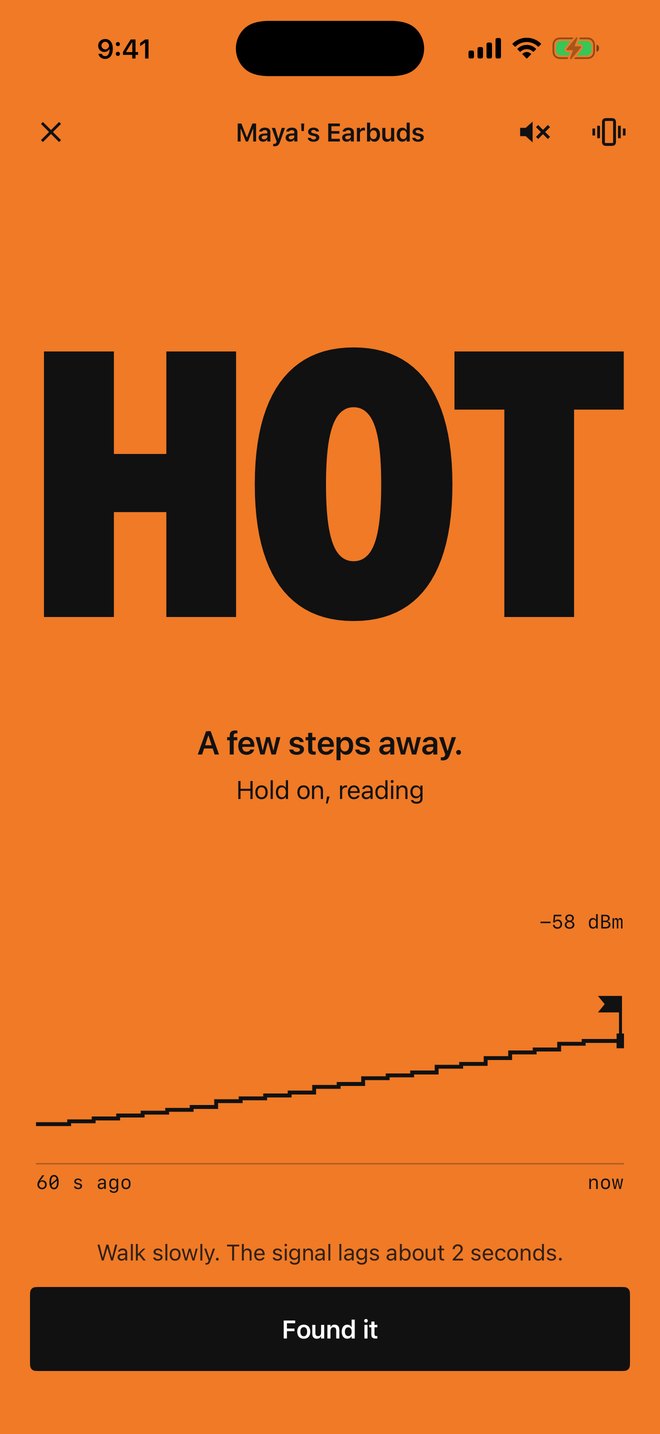
Walk around. The screen heats up.
Warmer finds a lost earbud, watch, speaker or tracker tag by its Bluetooth signal. Pick the device, walk slowly, and the whole screen steps from cold blue to red as you get closer. For iPhone and iPad.
Coming soon to theApp Store01 How it works
Five colors, one word.
Tell Warmer what you lost. It lists the Bluetooth devices in range with their names, and puts the likely ones on top. Tap yours and start walking.
The screen turns one flat color and shows one big word: Cold, Cool, Warm, Hot, Right here. Ticks and taps speed up as you get closer. A 60-second trace marks the strongest spot, so if you walk past it, the app tells you to go back.
If your earbuds are linked to this phone, Warmer can also play a loud tone through them.
02 Check first
The scan is free.
Anyone can open the app and see which devices are in range and what they are called. The hot and cold finder is the paid part.
If your device isn't on the list, don't buy. Paying can't make a silent device show up.
03 The limits
What Warmer can't find.
Warmer can't find
- Earbuds inside a closed case. The case switches them off.
- Anything with a dead battery or that is switched off.
- A device that is busy with another phone, tablet or laptop. Many go quiet while they are in use somewhere else.
- Anything out of Bluetooth range. Range is about 30 feet indoors, less through walls.
- Older gadgets that only use Bluetooth Classic. Some old speakers and car kits are like this.
Warmer can't tell you
- A direction. Bluetooth has no arrow. You walk, the screen warms up or cools down.
- A distance in feet. Walls, pockets and metal change the signal too much.
- A location on a map. If you left it at the gym, this app won't know.
For Apple gear, try Apple first. Find My can ring AirPods, AirTags and an Apple Watch. Use that before paying for anything.
04 Prices
Three plans.
| Lifetime | $19.99 once | Pay once. No renewals. |
| Yearly | $14.99 a year | Renews each year until you cancel. |
| Weekly | $3.99 a week | First 3 days free for new subscribers. Then $3.99 a week until you cancel. |
US prices. The App Store shows the price in your country before you pay. Payment goes through your Apple Account. Full terms are on the Terms of Use page.
05 Privacy
Nothing leaves your phone.
No account and no sign-up. No analytics, no ads, no tracking. Warmer has no server, so the devices it hears and the names you save stay on your phone. The App Store label reads Data Not Collected.
06 Support
Help and contact.
Email support@swellstackco.com.
Cancel a subscription
Open the Settings app, tap your name, then Subscriptions, then Warmer. Or open Warmer's own Settings and tap Manage Subscription. Cancel at least 24 hours before the renewal date.
Ask for a refund
Apple handles every payment, so refunds go through Apple at reportaproblem.apple.com.
New phone or reinstalled the app
Open Warmer's Settings and tap Restore Purchases, signed in with the same Apple Account you paid with.